
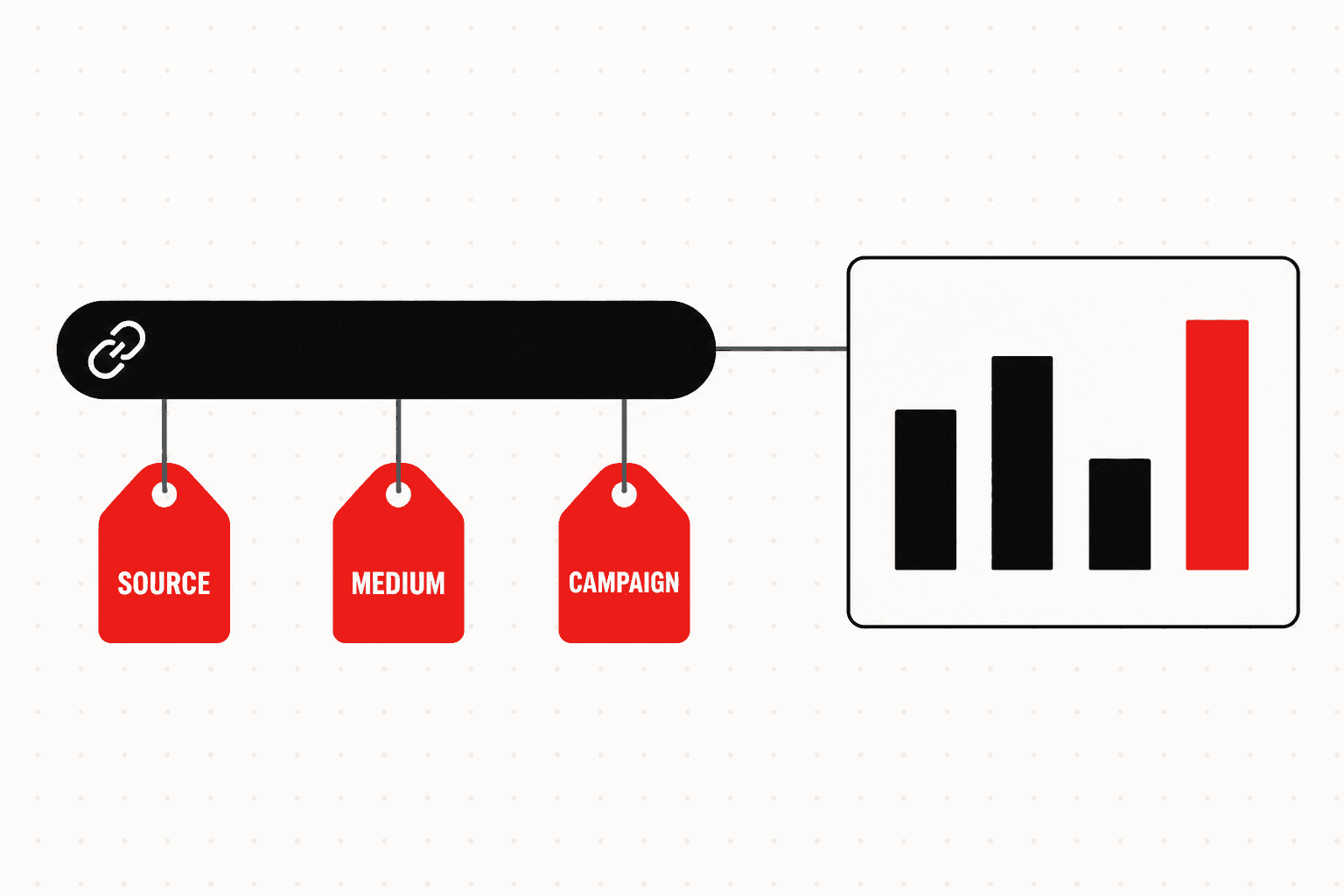
UTM parameters are tags you add to the end of a link so GA4 knows exactly where each visit came from. Without them, a click from your WhatsApp broadcast, your Instagram bio and a QR code on your packaging can all arrive in GA4 as "direct" traffic, and you cannot tell which one sold anything.
A tagged link looks like this:
https://www.example.in/diwali-sale/?utm_source=instagram&utm_medium=social&utm_campaign=diwali_sale_2026
Everything after the ? is the tagging. Each parameter is a name and a value joined by =, and parameters are separated by &. The page itself loads exactly as normal. UTM stands for Urchin Tracking Module, after Urchin, the analytics company Google bought in 2005 that became Google Analytics.
Every UTM Parameter GA4 Supports
Google's GA4 help page on collecting campaign data with custom URLs (checked November 2026) lists nine parameters. It says to always use the first three.
| Parameter | What it records | Example value | Where it shows in GA4 | Google's guidance |
|---|---|---|---|---|
utm_source | The site, app or place that sent the visit | instagram, newsletter, packaging | Session source | Always use |
utm_medium | The type of channel | social, email, cpc | Session medium | Always use |
utm_campaign | The campaign, product or promotion | diwali_sale_2026 | Session campaign | Always use |
utm_id | A campaign ID matching your own records or data imports | dw26_01 | Session campaign ID | Recommended |
utm_source_platform | The platform that bought or managed the traffic | meta_ads, dv360 | Session manual source platform | Recommended |
utm_term | The paid keyword | running_shoes | Session manual term | Optional |
utm_content | Which creative or link was clicked | reel_v2, bio_link | Session manual ad content | Optional |
utm_creative_format | The creative type | video, carousel | Manual creative format (see note) | Optional |
utm_marketing_tactic | The targeting approach | remarketing, prospecting | Not reported (see note) | Optional |
Source: Google Analytics Help, "Collect campaign data with custom URLs" and "Dimensions and metrics", accessed November 2026. Google's campaign help says the last two are not currently reported, while its dimension reference does list a Manual creative format dimension; check your own property before relying on either. Adding them now costs nothing and keeps the data in your links if reporting arrives.
How to Build UTM Links
For a few links, use Google's official Campaign URL Builder. Paste the page URL, fill in source, medium and campaign plus any optional fields, and copy the generated link. For mobile app campaigns on Android, Google points to its separate Play URL builder instead.
For anything recurring, a shared spreadsheet beats the builder: one column per parameter, drop-down lists of allowed values, and a formula that joins them into the final URL. The point is not convenience. It is that five people tagging links for a festive sale will otherwise invent five spellings of "instagram".
A UTM Naming Convention That Holds Up
Google says parameter values are case sensitive and recommends lowercase throughout. GA4's default channel groups also read utm_medium to decide which channel a visit belongs to, so the medium must use the words GA4 expects.
| Parameter | Rule | Use | Avoid |
|---|---|---|---|
utm_source | One lowercase name per site, app or offline place | instagram, whatsapp, newsletter, packaging | Instagram, IG, insta |
utm_medium | A word GA4's channel rules recognise | social, paid_social, email, sms, affiliate, display | whatsapp-blast, Post, story |
utm_campaign | Purpose, then period, underscores not spaces | diwali_sale_2026, launch_protein_bar | Diwali Sale!!, campaign1 |
utm_id | The ID from your campaign sheet | dw26_01 | Reusing one ID for two campaigns |
utm_content | The creative or placement clicked | reel_v2, bio_link, carton_back | Customer names, phone numbers or emails |
utm_term | The paid keyword, on non-Google platforms | protein_bar | Tagging organic links with keywords |
Never put personal data such as phone numbers or email addresses in a UTM value. It ends up in your analytics and in every tool that reads the page URL.
India Examples: WhatsApp, Instagram Bio and QR Codes
Three channels Indian brands rely on arrive in GA4 as "direct" or "unassigned" unless they are tagged.
WhatsApp broadcasts and channels. WhatsApp opens links without a reliable referrer, so untagged clicks usually land as direct. Tag every link you send:
?utm_source=whatsapp&utm_medium=social&utm_campaign=diwali_sale_2026&utm_content=broadcast_1
Using social as the medium puts these visits into Organic Social. For click-to-WhatsApp ads, the link inside the chat should carry utm_medium=paid_social instead.
Instagram bio link. The bio is one link that changes every few weeks. Tag it once and let utm_content record what it pointed to:
?utm_source=instagram&utm_medium=social&utm_campaign=bio_link&utm_content=protein_launch
QR codes on packaging, print and stores. A QR code is the only way to measure an offline placement in GA4. Encode a tagged URL, not the bare homepage:
?utm_source=packaging&utm_medium=qr_code&utm_campaign=carton_reorder&utm_content=carton_back
No default channel rule recognises qr_code, so these visits fall into Unassigned. Create a custom channel group in GA4 with an "Offline QR" channel matching that medium, and use a short tagged URL or a redirect so the code stays easy to scan.
Common UTM Mistakes
- Tagging internal links. A UTM on your own homepage banner tells GA4 a new campaign brought the visitor, overwriting the ad or email that really did. Use events, not UTMs, to track internal clicks.
- Mixed case and spaces.
Facebook,facebookandFBbecome three sources in your reports. Spaces turn into%20or+. Lowercase and underscores fix both. - Manually tagging Google Ads when auto-tagging is on. Google's help on auto-tagging says that when a click carries both, GA4 uses the auto-tagged values for source, medium and campaign; your manual
utm_contentandutm_termsurvive only in the Manual ad content and Manual term dimensions. Keep auto-tagging on and tag every other platform manually. - Leaving out the medium. GA4 records "(not set)" for any missing parameter, and unless the source is a recognised social or search site, a visit without a recognised medium lands in Unassigned.
- Ignoring AI referrals. ChatGPT has been observed adding
utm_source=chatgpt.comto the links it cites, with no medium, and third-party reports in October 2026 described the tag intermittently disappearing. On our own site, GA4's default AI Assistant channel captured far fewer AI referrals than an explicit source list did, as we documented in our GA4 study of AI search traffic. Build a custom channel that matches AI sources rather than relying on the tag.
How to Read UTM Data in GA4
- Channel view. Reports, then Acquisition, then Traffic acquisition. The default dimension is Session default channel group, which shows where your mediums landed.
- Source and medium. Change the primary dimension to Session source / medium to see
whatsapp / social,packaging / qr_codeand so on. - Campaign. Switch to Session campaign or Session manual campaign name to compare
diwali_sale_2026against other campaigns, with key events and revenue in the same row. - Creative. Add a secondary dimension of Session manual ad content to see which
utm_contentvalue, such asreel_v2orcarton_back, drove the result. - First touch. Reports, then Acquisition, then User acquisition uses First user source and medium, the channel that originally acquired each user.
One detail confuses people: GA4 strips UTM parameters from Page path + query string. If you want to see the full tagged URL, use the Page location dimension in an exploration.
Frequently Asked Questions
What are UTM parameters?
UTM parameters are short tags added to the end of a URL, after a question mark, that tell an analytics tool where a visit came from. The three core ones are utm_source (the site or app), utm_medium (the type of channel) and utm_campaign (the campaign name). GA4 reads them when someone lands on the page and fills its source, medium and campaign reports.
What does UTM stand for?
UTM stands for Urchin Tracking Module. Urchin was the web analytics company Google acquired in 2005, and its software became the basis of Google Analytics. The name survived even though the Urchin product did not.
Which UTM parameters are required?
Google's GA4 help says to always use utm_source, utm_medium and utm_campaign, and recommends utm_id and utm_source_platform. utm_term and utm_content are optional. Leaving out a parameter does not break the link, but GA4 records (not set) for the missing value, and a missing medium usually pushes the visit into the Unassigned channel.
How do I create a UTM link?
Use Google's free Campaign URL Builder at ga-dev-tools.google/campaign-url-builder/. Enter the page URL, then the source, medium, campaign and any optional fields, and it generates the tagged link. For more than a handful of links, keep a shared spreadsheet that builds URLs from a fixed list of allowed values, so every team spells them the same way.
Should I add UTM parameters to Google Ads links?
Not as a replacement for auto-tagging. When a Google Ads click carries both the auto-tagging ID and manual UTMs, GA4 uses the auto-tagged values for source, medium and campaign. Keep auto-tagging on so cost and conversion data flow between Google Ads and GA4. Use manual UTMs for Meta, LinkedIn, email, WhatsApp and every other channel.
Where do I see UTM data in GA4?
Go to Reports, Acquisition, Traffic acquisition and set the primary dimension to Session source / medium or Session campaign. For utm_content and utm_term, switch the dimension to Session manual ad content or Session manual term. The tags themselves do not appear in Page path + query string; GA4 keeps them in Page location.
Not sure which of your campaigns actually produce customers? We set up tagging conventions, GA4 channel groups and conversion tracking across Google, Meta, LinkedIn, WhatsApp and offline QR placements, then manage the paid media against the numbers it reveals. See our PPC services.

Aditya Kathotia
Founder & CEO
CEO of Nico Digital and founder of Digital Polo, Aditya Kathotia is a trailblazer in digital marketing. He's powered 500+ brands through transformative strategies, enabling clients worldwide to grow revenue exponentially. Aditya's work has been featured on Entrepreneur, Economic Times, Hubspot, Business.com, Clutch, and more. Join Aditya Kathotia's orbit on LinkedIn to gain exclusive access to his treasure trove of niche-specific marketing secrets and insights.
More in Performance Marketing
- CPM Meaning: Cost Per Mille Explained With India Benchmarks
- Meta Ads Library: How to Research Competitor Ads in India
- What Is ROAS? Meaning, Formula and Good ROAS in India
- What Is SEM? Search Engine Marketing Explained for India
- Paid Advertising Platforms in India: 12 Compared by Cost and Fit
- ChatGPT Ads in India: How They Work, Costs and Setup