

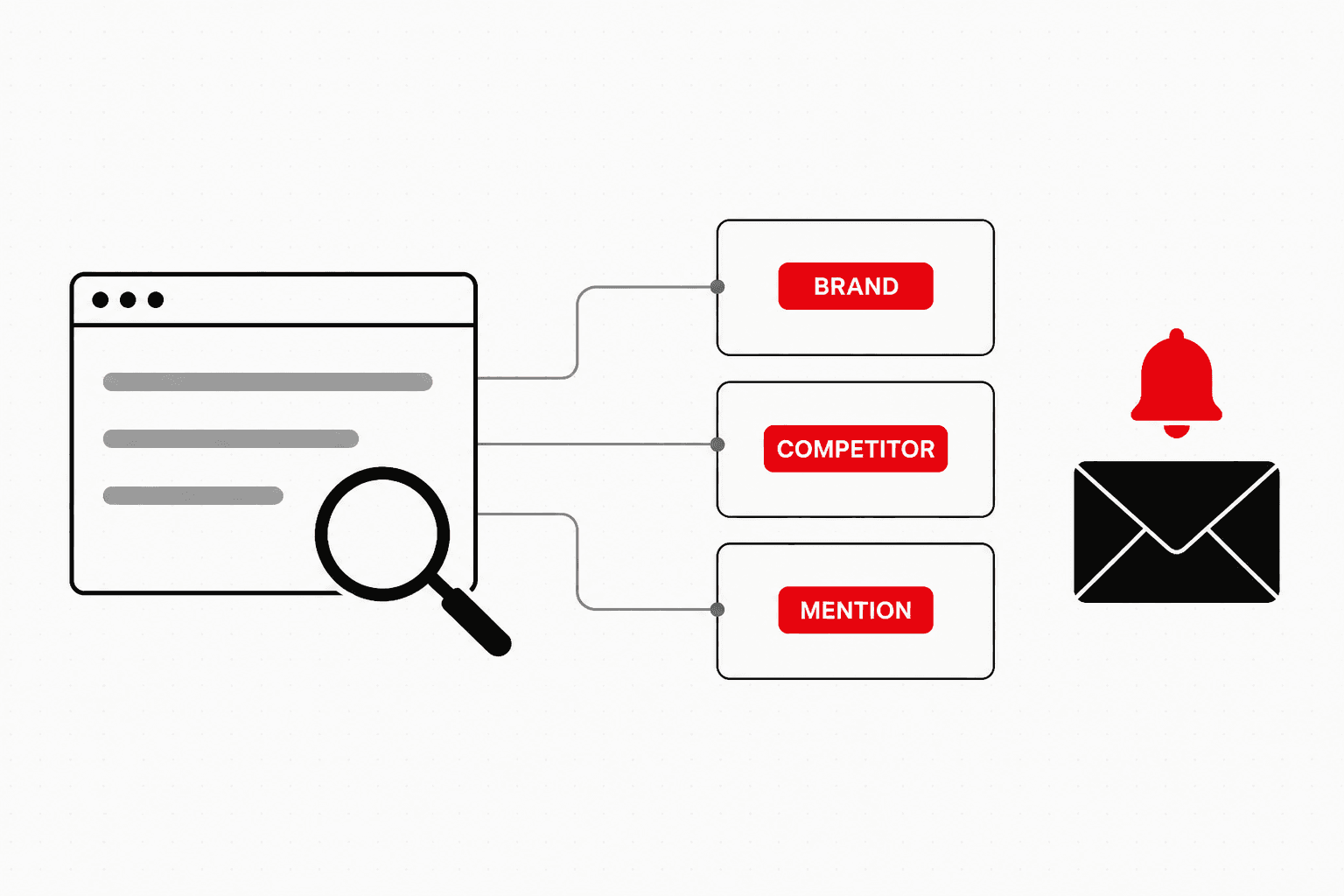
Google Alerts is a free Google service that watches Google's index for new pages matching a query you choose and sends you the results by email or RSS feed. Set up properly, it is the cheapest brand-monitoring and competitor-tracking system an Indian marketing team can run: it costs nothing, it takes ten minutes, and it catches the press mentions, competitor launches and review threads that would otherwise reach you weeks late, if at all.
Most people set it up badly. They type their brand name without quotation marks, leave every option on its default, and either drown in irrelevant results or receive nothing and assume nobody is talking about them. This guide covers the setup options as they appear today, the search operator recipes that turn a noisy alert into a precise one, and the honest limits of the tool, so you know when a free alert is enough and when it is not.
How to Set Up a Google Alert
The setup takes six steps. Google documents the core of it in its Alerts help page (Google Search Help, accessed November 2026).
- Sign in to the Google account that will own the alerts. You can preview results without signing in, but you need an account to save, edit and route alerts. Use a shared marketing account rather than a personal one, so alerts survive staff changes.
- Go to google.com/alerts and type your query in the box at the top. Use the operator recipes further down rather than a bare keyword.
- Read the preview. When you are signed in, Alerts shows a sample of recent results for the query. If the preview is full of noise, fix the query now.
- Click Show options and set the five settings in the table below.
- Choose where results go with the Deliver to setting: your email address or an RSS feed.
- Click Create Alert. To change it later, use the pencil icon next to the alert; to remove it, use the bin icon or the Unsubscribe link at the bottom of any alert email.
These are the options the Alerts page offers, as listed on google.com/alerts on 16 November 2026, with the setting we would choose for marketing work.
| Option | Choices offered | Setting for marketing monitoring |
|---|---|---|
| How often | As-it-happens, At most once a day, At most once a week | Once a day for brand and competitors; As-it-happens only for a live crisis |
| Sources | Automatic, News, Blogs, Web, Video, Books, Discussions, Finance | Automatic, or News plus Blogs for a press-only alert |
| Language | Any Language, English, Hindi and 40-plus others | English, plus a separate Hindi alert if your brand is written in Devanagari |
| Region | Any Region, or a single country such as India | India for local reputation; Any Region for export or SaaS brands |
| How many | Only the best results, All results | All results, because the default filtering hides small mentions |
| Deliver to | Your email address or RSS feed (visible only when signed in) | Email to start; RSS once you run more than five alerts |
Source: option labels as shown on google.com/alerts, 16 November 2026. Deliver to appears only for signed-in users.
Search Operators That Work in Google Alerts
Google does not publish an operator list specific to Alerts. The operators that behave predictably are the ones Google documents for Search on its search operators help page (Google Search Help, accessed November 2026): quotation marks for an exact phrase, a minus sign to exclude a word, and site: to limit results to one domain. Two rules from that page matter more in Alerts than anywhere else: put no space between an operator and its term, and use quotation marks around any brand name with more than one word. OR, typed in capitals, still combines alternatives, but it is not on Google's current list of documented operators, so confirm each OR query in the preview before saving it.
Here are the recipes we use, written for a fictional Kolkata brand called Example Foods with the domain examplefoods.in. Swap in your own names.
| Goal | Query to paste into Alerts | What it does |
|---|---|---|
| Brand mentions, minus your own site | "example foods" -site:examplefoods.in | Exact brand phrase anywhere except your own pages |
| Brand plus misspellings | "example foods" OR "examplefoods" OR "example food" | Catches the joined and singular versions journalists type |
| Founder or spokesperson | "founder name" "example foods" | Pages naming both the person and the brand |
| Competitor launches | "rival snacks" launch OR launches OR unveils | Competitor name next to launch language |
| Competitor press coverage only | "rival snacks" -site:rivalsnacks.com | Third-party coverage, not the competitor's own blog |
| Mentions on one publication | "example foods" site:economictimes.indiatimes.com | Every new mention on a target outlet |
| Content and PR ideas | "millet snacks" survey OR report OR study | New data in your category that you can cite or react to |
| Reputation risk | "example foods" complaint OR fraud OR refund | Early warning on review and complaint threads |
| Unlinked product mentions | "example foods" "masala makhana" -site:examplefoods.in | Coverage of a hero product, a common source of unlinked mentions |
Source: operator syntax from Google Search Help, search operators page, accessed November 2026. Recipes: Nico Digital.
Email or RSS Feed: Choosing Delivery
Email works for the first few alerts. Past five or six, a daily inbox digest per alert becomes something people stop opening. Switch Deliver to from your email address to RSS feed and Google gives each alert a feed URL. Feedly's documentation, last updated August 2024, describes exactly this route: create the alert, choose RSS delivery, and add the feed to Feedly. From a feed reader you can tag mentions, share them with a team, or pass new items into Slack or a Google Sheet with an automation tool, which gives you a running log of every mention without anyone forwarding emails.
Five Marketing Uses for Google Alerts
1. Link reclamation from brand mentions. This is the use with the clearest return. When a publication mentions your brand, founder or product without linking to you, a short, polite request to add the link tends to land far more often than cold outreach, because the editor has already chosen to write about you. An alert on your brand minus your own site surfaces these mentions within a day. Check each new page for a link, log the unlinked ones, and contact the author while the article is fresh. We cover the outreach side in how digital PR replaced link building.
2. Competitor launches and coverage. An alert on each competitor's name, minus their own domain, shows you their press coverage, funding news, hiring and product launches as they are indexed. Over a quarter this becomes a map of which journalists and publications cover your category, which is the target list for your own digital PR.
3. Content ideas. Category alerts on phrases like survey, report or study surface new data you can cite, react to or extend. A post that responds to a new industry report within a week of its release has a real chance of earning links that a generic explainer never will.
4. Reputation and review monitoring. Alerts on your brand next to words like complaint, refund or fraud give early warning of consumer forum threads and news stories. Pair this with a review of what ranks for your own name, covered in brand SERP defence.
5. Journalist and podcast opportunities. Alerts on your category plus phrases like looking for experts or call for speakers catch some of the requests that are published openly on the web. Coverage is patchy, so treat this as a bonus rather than a channel.
The Limits of Google Alerts
Google Alerts is a search query on a timer, and it inherits every gap that implies.
- It only sees Google's index. Posts on Instagram, LinkedIn, X and Facebook that sit behind a login, WhatsApp and Telegram groups, and most app content never reach it. For many Indian consumer brands, that is where the majority of conversation happens.
- It has no memory. An alert reports new results from the day you create it. It cannot tell you what was written about you last year.
- It filters by default. With How many on Only the best results, Google decides which matches are worth sending. Small blogs and forum posts are the first to go, and they are often exactly the unlinked mentions you want.
- It tells you nothing about the mention. No sentiment, no reach, no indication of whether the page links to you. Every result needs a human to open it.
- It cannot see AI answers. Whether ChatGPT, Perplexity or Google's AI Overviews mention your brand is a separate question, covered in our guide to tracking AI citations.
When to pay for a tool. Move to a paid social listening or media monitoring tool when any of these is true: you need social platforms covered, you report share of voice to leadership, you are in a regulated or crisis-prone category where a missed mention has real cost, or you are mentioned so often that manual triage takes more than an hour a week. For backlink-specific monitoring, the new and lost link reports in an SEO suite catch linked mentions that Alerts reports without context. Until then, a well-built set of free alerts covers more than most teams actually act on.
A Starter Set of Alerts
If you are starting from zero, create these six alerts this week: your brand minus your own site, your brand misspellings, your founder or spokesperson, your two closest competitors minus their own sites, and one category data alert. Set them to once a day, All results, delivered to a shared inbox or feed. Review weekly for a month, delete the noisiest, and tighten the rest. That is the whole system.
Frequently Asked Questions
Is Google Alerts free?
Yes. Google Alerts is free and needs only a Google account if you want to manage alerts, change the delivery address or switch delivery to an RSS feed. There is no paid tier. The trade-off is that you get no reporting, no sentiment, no reach figures and no history: each alert only tells you about new pages that match your query from the day you create it.
How do I set up Google Alerts for my brand name?
Go to google.com/alerts, sign in, and type your brand name inside quotation marks so Google matches the exact phrase. Add a minus sign before site:yourdomain.com to exclude your own pages. Click Show options, set How often to At most once a day, Sources to Automatic, Region to India or Any Region, and How many to All results, then click Create Alert. Create a second alert for common misspellings and for the founder's name.
Can Google Alerts send results to an RSS feed?
Yes. When you are signed in, the Deliver to option lets you switch from your email address to an RSS feed. Google then gives you a feed URL that you can add to a reader such as Feedly, or pipe into Slack or a spreadsheet with an automation tool. RSS is the better choice once you run more than a handful of alerts, because it keeps monitoring out of your inbox.
Which search operators work in Google Alerts?
Google does not publish an operator list specific to Alerts, but the operators documented for Google Search are the ones to use: quotation marks for an exact phrase, a minus sign to exclude a word, site: to limit or exclude a domain, and OR in capitals to combine terms. Do not put a space after the colon. Because Alerts shows a live preview when you are signed in, test every query there before you save it.
Why is Google Alerts not sending me anything?
Google's own troubleshooting points to three causes: you are signed into a different Google account from the one that owns the alert, the alert or its delivery address is disabled in the alert settings, or the emails are landing in spam or a full inbox. The fourth common cause is the query itself. An exact-match phrase that is too narrow, combined with How many set to Only the best results, can legitimately return nothing for weeks.
Is Google Alerts enough for brand monitoring?
For a small or mid-size Indian brand that is mentioned a few times a week, it is a reasonable free starting point. It is not enough when you need social coverage, sentiment, historical data, share-of-voice reporting or reliable capture of every mention, because Alerts only reports pages it finds in Google's index and it filters results by default. Paid listening tools cover those gaps; use them once missed mentions start costing you links or reputation.
Finding mentions is the easy half. Turning them into links and coverage is the work. Our digital PR team runs mention monitoring and reclamation alongside journalist outreach, and our link building service turns unlinked brand mentions and competitor coverage into editorial links that move rankings.

Aditya Kathotia
Founder & CEO
CEO of Nico Digital and founder of Digital Polo, Aditya Kathotia is a trailblazer in digital marketing. He's powered 500+ brands through transformative strategies, enabling clients worldwide to grow revenue exponentially. Aditya's work has been featured on Entrepreneur, Economic Times, Hubspot, Business.com, Clutch, and more. Join Aditya Kathotia's orbit on LinkedIn to gain exclusive access to his treasure trove of niche-specific marketing secrets and insights.
More in SEO
- Add Me to Search: What Replaced the Google People Card
- Social Bookmarking Sites in 2026: What Still Works for SEO
- People Also Search For (PASF): How to Use It for SEO Research
- SEO for Immigration Consultants: The Trust-First Playbook
- Is Your Brand AI-Recommendable? Our GEO Audit Framework
- Best SEO Company in Guwahati: 8 Agencies by Brief (2026)