

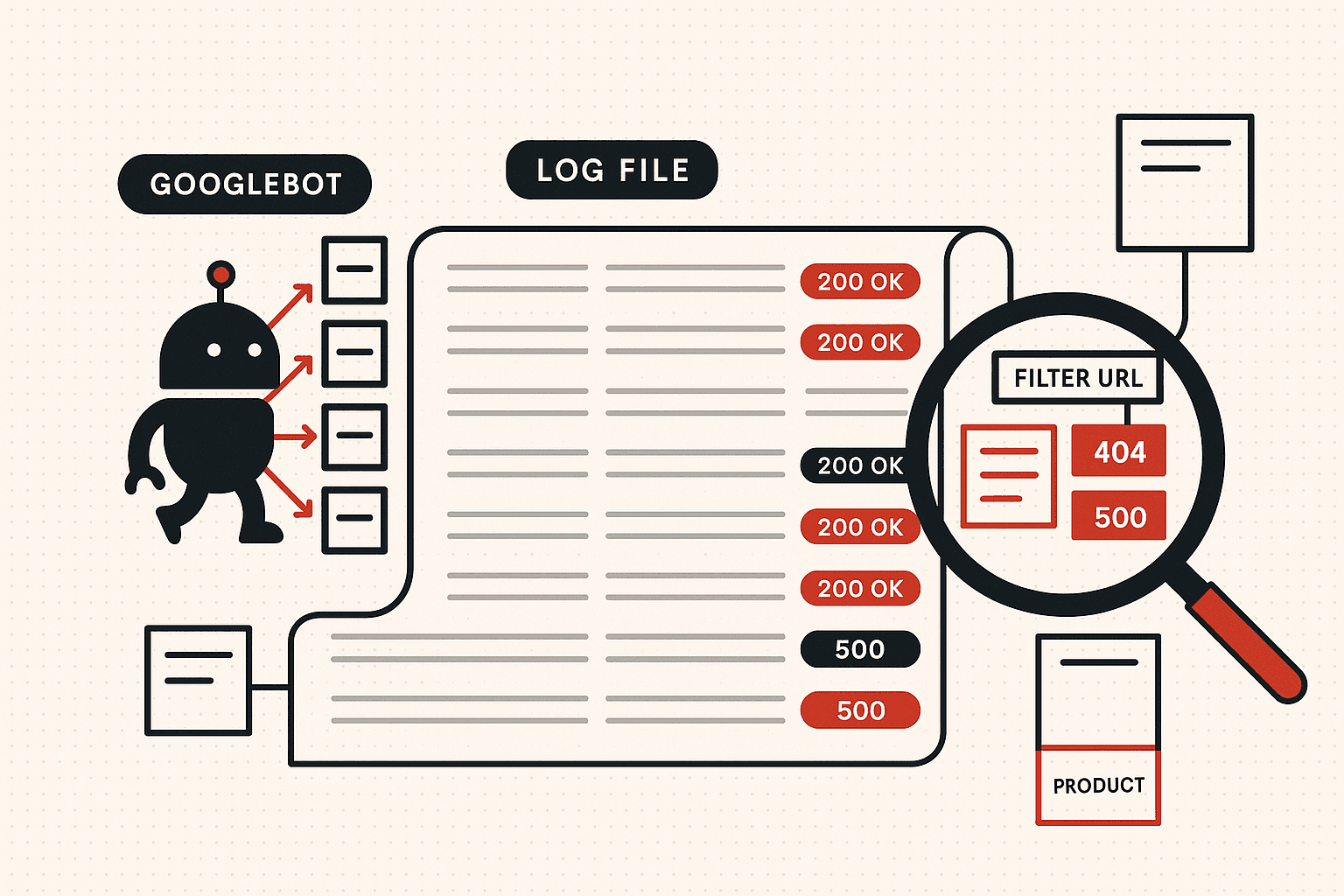
Google Search Console tells you what Google indexed. It does not tell you what Googlebot actually crawled, how often, or how much of your crawl budget was burned on junk URLs. Server log files are the only honest answer. This is the playbook we use: how to pull and clean the logs, the seven crawl signals that actually move rankings, the patterns that point at index bloat, orphan pages, and dying URLs, and the per-platform fixes that follow.
A founder watches an enterprise SEO programme stall. New product pages take ten days to start ranking. A site migration finished six weeks ago and the old URLs still show up in odd places. Search Console says crawling is "normal" but conversions from organic have been sliding for two quarters and nobody can explain why.
The site has been audited three times. Page speed is fine. Internal linking has been improved. New content is shipping every week. The team has done everything the playbook tells them to do. Rankings still will not move.
The missing piece is almost always the same: nobody has actually looked at what Googlebot is doing. Search Console shows the indexing outcome. Site crawls show what links exist. But the only place you can see Google's behaviour, in detail, on every URL, is the server log file. And on most stalled enterprise programmes, the log file tells a story nobody wanted to hear: more than half the crawl budget is being burned on URLs that have no business being crawled at all.
Log file analysis is the senior-operator move in technical SEO. It is the difference between guessing what Google sees and knowing. This post is the system we run to use it.
What a Log File Actually Is
A server log is a plain-text record of every request the web server received. Every page view, every image load, every API call, every bot visit, all of it gets written, one line per request, to a file on the server. A single line looks roughly like this:
66.249.66.1 - - [20/May/2026:09:14:03 +0000] "GET /technical-seo-services/ HTTP/1.1" 200 14823 "-" "Mozilla/5.0 (compatible; Googlebot/2.1; +http://www.google.com/bot.html)"
That one line tells you nine useful things. The IP address that made the request. The timestamp. The HTTP method and the URL path. The protocol version. The response status code. The size of the response in bytes. The referrer, if any. And the user-agent, which is how the server reports who or what made the request.
A log file is just thousands or millions of those lines, in order, for everything that ever hit the server. Once you filter that file down to requests where the user-agent claims to be Googlebot (and verify the claim, which we will come back to), you have the most honest record that exists of how Google is treating your site. No sampling, no summary, no dashboard interpretation. The raw record.
This matters because every other SEO data source is a derivative of crawling. Search Console reports the indexing decisions that result from crawling. Ahrefs and Semrush report the SERP rankings that result from indexing. Your analytics reports the user behaviour that results from ranking. Log files are upstream of all of it. They are the only place to see the actual input.
What Logs Show That Search Console Misses
Search Console is a useful tool. It is not a substitute for log analysis, because it is sampled, aggregated, and summarised by Google itself. Five things show up in logs that never show up in Search Console with enough resolution to act on.
One: per-URL recrawl frequency. Search Console will tell you Googlebot made twelve thousand requests last week. The log file tells you which twelve thousand URLs, and how many times each. Some of your most important commercial pages may be crawled once a month while a deprecated archive is being crawled every day. You cannot see that distribution in Search Console.
Two: orphan URLs being crawled. Pages that no longer have any internal links pointing to them but that Googlebot still fetches, because of an old sitemap entry, an external link, or memory from a previous structure. These pages quietly waste crawl budget and they only appear in the logs.
Three: redirect chains and loops being walked. A crawl that follows a chain of three or four 301s, or worse, a loop, consumes multiple crawl requests for a single destination. Logs show every hop. Search Console reports a single aggregate count.
Four: status code patterns by directory. A jump in 5xx errors on a specific template, a spike of soft 404s on a paginated archive, a 308 redirect that should be a 301, all visible in logs at the directory level, none visible in Search Console with that precision.
Five: what bots other than Googlebot are doing. GPTBot, ClaudeBot, PerplexityBot, Bingbot, Applebot, CCBot, and Google-Extended each appear in the same logs and can be analysed the same way. If you want to know whether ChatGPT can actually reach the pages you want it to cite, the log file is where the answer lives. The companion piece on tracking AI citations across ChatGPT and Perplexity covers the citation side; logs are the crawl side of the same problem.
How to Pull the Logs Without Breaking Anything
Before any analysis happens, you need the data. Where the logs live depends on the hosting setup, and the answer is rarely obvious from the outside.
On a traditional Linux server running Apache or Nginx, the logs are in a known directory: /var/log/apache2/access.log or /var/log/nginx/access.log. A developer or sysadmin can rsync or scp them down. Logs are usually rotated daily and compressed, so what you actually need is the last thirty days of access.log.*.gz files, decompressed and concatenated.
On a managed host (WP Engine, Kinsta, Cloudways, Pantheon), the logs are exposed through a control-panel download or an SFTP path. The interface differs by host but the file format is the same. Ask the host's support team for the exact path; they will know.
On a CDN-fronted site (Cloudflare in front of an origin), the origin sees only the requests Cloudflare passed through. Static asset requests, cached HTML, and a share of bot requests may never reach the origin at all. The honest picture requires Cloudflare Logpush exporting the edge logs to R2, S3, or a SIEM, plus the origin logs for the requests that did pass through. Without the edge data, you will under-count crawler activity, sometimes by half.
On a serverless platform (Vercel, Netlify, Cloudflare Pages), raw access logs are not exposed by default. You need to enable a log drain to a service like Datadog, Logflare, or BetterStack, or use the platform's own log export. Set this up first, then wait two to four weeks before analysis so you have a real dataset.
On enterprise setups behind a load balancer, the load balancer's access log is usually the cleanest single source because it sees every request before any application-layer routing or caching. Ask the infrastructure team for the load-balancer logs first.
Ask for at least thirty days. Ask for raw text or JSON, not a dashboard PDF. Confirm that the user-agent and IP fields are present and not stripped by any intermediate proxy. And verify the timestamps are in UTC or that you know the timezone, because crawl pattern by time of day is a real signal and it breaks if half the file is in IST and the other half is in PST.
Verify Googlebot Before Trusting Anything
This is the single most-skipped step in log file analysis. The user-agent field in a log line is just a string. Any client can claim to be Googlebot. A meaningful share of the traffic from user-agents that look like Googlebot is actually scrapers, SEO tools, or bots pretending to be Google. If you analyse the unverified data, you will draw conclusions from the behaviour of tools, not the search engine.
The verification method is reverse-then-forward DNS. Take the IP address from the log line. Run a reverse DNS lookup. Confirm the hostname ends in googlebot.com or google.com. Then run a forward DNS lookup on that hostname and confirm it resolves back to the original IP. Both checks must pass.
A faster batch method: Google publishes its current Googlebot IP ranges as a JSON file at https://developers.google.com/search/apis/ipranges/googlebot.json. Pull the file, match every log line's IP against the published ranges, and discard any line whose user-agent claims to be Googlebot but whose IP is not in the list. Tools like Screaming Frog Log File Analyser and SEOlyzer perform this verification automatically. If you are writing your own pipeline, do not skip it.
The same applies to other bots that matter. Bingbot has published ranges at bing.com/toolbox/bingbot.json. Applebot, Google-Extended, GPTBot, and ClaudeBot each have documented verification methods. Verified-only is the only honest dataset.
The Seven Crawl Signals That Actually Matter
Once you have a clean, verified log of crawler requests, the analysis itself is straightforward. Seven signals do almost all of the diagnostic work.
Signal one: per-URL recrawl frequency. Group log lines by URL and count Googlebot requests per URL over thirty days. Sort descending. Your most important commercial pages should be at the top. If they are not, if a deprecated archive is being crawled fifty times while your main service page is crawled twice, that is a structural signal you are sending the wrong page to Google. The fix is internal linking, sitemap priority, and removing the structural reasons the low-value pages are being treated as important. We covered the structural side in the internal linking strategy playbook; logs are how you verify the fix actually changed behaviour.
Signal two: crawl distribution by template. Tag every URL with its template type, product page, category, blog post, filter parameter, sort parameter, paginated archive, and sum crawl requests by template. On a healthy ecommerce site, product and category templates should account for the vast majority of crawl. If filter-parameter URLs are eating 30 to 60 percent of the budget, you have a faceted navigation problem and the crawl-budget guide on faceted navigation is the next stop.
Signal three: status codes by directory. Pivot the data by URL pattern and HTTP response code. A wall of 404s on /products/sku-*/ means a product feed has gone stale and inventory pages are returning not-found. A cluster of 5xx on a single template means the template has a bug that only Googlebot's crawl pattern is triggering. A meaningful share of 301s on a directory that was supposed to have been cleaned up six months ago means the redirects are still being walked, wasting budget. None of these patterns show up clearly in Search Console's aggregate report.
Signal four: orphan URLs being crawled. Take the list of URLs Googlebot fetched, subtract the list of URLs your site actually links to (from a Screaming Frog crawl), and what remains is your orphan crawl. These are pages Googlebot remembers from old structures or external links, but that have no in-links from your current site. Each one is wasted crawl budget. Decide for each: redirect, restore the page if it should still rank, or let it 404 cleanly. We cover this from the structural side in the orphan page audit playbook.
Signal five: response time by template. Calculate the median Googlebot response time for each template type. Templates with a median over 1,500 ms cap how fast Google is willing to crawl the whole site. The fix is server-side performance work on the specific templates that are slow, not site-wide page speed cleanup that misses the actual bottleneck.
Signal six: time-of-day crawl pattern. Bucket Googlebot requests by hour. A healthy pattern is roughly distributed across the day with mild peaks. A pathological pattern is a collapse to near-zero at a specific hour, which usually means a misconfigured CDN cache invalidation, a server resource limit hit, or a security rule (often a WAF) throttling Googlebot. Each of these is fixable and invisible without the logs.
Signal seven: post-deploy crawl behaviour. After a migration, restructure, or major change, the log file is the verification step that tells you whether Google actually adopted the new structure. The expected pattern: Googlebot rediscovers the new URLs within days, recrawls them aggressively for two to three weeks, then settles into a new steady state. The pathological pattern: weeks after launch, Googlebot is still spending budget on the old URLs because the redirects are slow, the sitemap was not updated, or the internal links still point at the deprecated paths. We covered the migration playbook in the SEO site migration checklist; the log file is how you confirm it landed.
The Patterns That Point at Real Problems
Patterns matter more than individual lines. Five recurring patterns surface in almost every enterprise log audit, and each maps to a specific underlying problem.
Pattern one: most-crawled URLs are filter parameters. When you sort URLs by Googlebot request count and the top twenty are all variations of ?color=red&size=10&sort=price, the site has an index-bloat problem and probably index-coverage warnings in Search Console to match. The fix is the faceted-navigation control system (canonicals for genuine duplicates, noindex with follow for crawlable low-value pages, robots.txt for parameter patterns with no value, static indexable pages for the filter combinations that earn search traffic). Read the full decision tree in the faceted navigation guide.
Pattern two: a commercial template is crawled rarely. When your highest-revenue templates, service pages, money landing pages, key product categories, show up with a handful of crawls per month while the blog is crawled daily, the structural signal is wrong. The fix is internal linking from high-authority pages into the commercial template, sitemap priority, and removing the structural reasons the commercial pages are buried.
Pattern three: status codes degrading on a single directory. A directory that historically returned 200s is now mixed with 5xx or soft 404s. The fix starts on the application side, not on SEO. Find the bug, fix the response, and watch the logs to confirm the pattern recovers.
Pattern four: redirect chains being walked. Logs show Googlebot fetching a URL, getting a 301, fetching the next URL, getting another 301, and so on. Two hops is acceptable; three or more is a problem. The fix is to collapse the chain so every old URL redirects directly to the final destination in one hop.
Pattern five: a content section has not been recrawled in weeks. A category of pages, often older blog archives or low-priority directories, has no recent Googlebot requests at all. Decide if the section deserves to be revived (in which case, refresh content and re-promote it) or retired (in which case, redirect or 410 and stop wasting structure on it). This is where log analysis pairs naturally with a content decay audit: logs tell you which pages Google has stopped caring about, the audit decides what to do about each one.
Tools, Honestly Compared
Three layers of tooling cover almost every situation.
For small to mid-sized log sets (under fifty million lines total), the Screaming Frog Log File Analyser is the standard. It ingests Apache and Nginx logs, verifies Googlebot via DNS, and produces dashboards on crawl frequency, status codes, response time, and orphan URLs out of the box. It is a desktop app, a one-off licence, and a senior SEO can run it without engineering help. Most agency log audits run on this.
For cloud-based teams that prefer a SaaS workflow, SEOlyzer and OnCrawl cover similar ground with broader integrations. SEOlyzer has a free tier for smaller sites. OnCrawl pairs log analysis with site crawls for a combined view.
For enterprise sites (hundreds of millions of log lines, multi-property setups, integrated with engineering data pipelines), the right answer is usually a log-pipeline approach: ship the logs into BigQuery, Elasticsearch, Snowflake, or Splunk, and run SQL or Kibana queries against them. This is the only sane way to handle the volume, and it lets you join log data with Search Console API exports, analytics, and crawl exports for compound diagnostics.
For one-off triage on a small log file, command-line tools (grep, awk, sort, uniq, jq) answer most questions in minutes. A useful starter pipeline: filter to verified Googlebot lines, extract URL and status, group by URL, count, sort descending, take the top hundred. That single chain answers the recrawl-frequency question without buying any tool.
The right tool is whichever matches your log volume and your team's data tooling. Buying enterprise software for a site that throws off two million log lines a month is overkill. Trying to run a billion-line analysis in a desktop tool is going to crash before lunch.
How Often to Run an Audit
Two cadences cover most cases.
The quarterly deep audit is the longitudinal record. Pull ninety days of logs. Run the seven signals end to end. Build the patterns. Compare to last quarter. This is where you spot trends: crawl drift, slow degradation of a section, the slow shift of crawl budget from one template to another. It is also the audit that informs roadmap conversations because it shows the technical SEO trajectory over real time, not a snapshot.
The change-driven review is narrower and faster. After every migration, restructure, robots/canonical change, sitemap rewrite, or major template ship, pull the logs for the two weeks following the change. Verify: new URLs are being crawled, old URLs are being crawled less, no unexpected error patterns appeared, the status-code distribution matches expectations. This is the verification step that turns "we shipped the fix" into "we shipped the fix and Googlebot adopted it."
For sites that ship infrastructure or content frequently (large ecommerce, news, marketplaces, enterprise SaaS), a monthly mini-audit is closer to right. The data is most valuable as a longitudinal record. Audit once and forget and you lose the trend.
How This Fits With Everything Else
Log file analysis is not a standalone discipline. It is the verification layer underneath every other piece of technical SEO. The structural fixes we cover in the internal linking playbook and the faceted navigation guide are designed off Search Console and Screaming Frog. Log file analysis is how you confirm those fixes changed Googlebot's behaviour, not just the on-page state. The decision tree in the Search Console traffic drop guide lists log file analysis as a branch for cases where indexing data is ambiguous. The keyword cannibalisation audit pairs naturally with log data because it shows whether Google is wasting crawl budget on the cannibalising duplicates while the canonical version is starved. The orphan page audit is the structural side of the orphan-crawl signal in logs. None of these tools replace each other. Each is one input to a complete picture.
If you are running a programme without log file data, you are running it with one hand tied. Pulling the logs, verifying Googlebot, and looking at the seven signals is two to four days of work for a senior SEO. The diagnostic depth it adds to every other audit on the site pays back permanently.
Where Most Teams Stop, and What to Do Instead
Most teams stop at "we looked at the logs once." That single audit is useful but not transformative. The transformative move is making log analysis part of the operating rhythm: a monthly or quarterly review on the dashboard, every major change verified against the log, every audit deck including a log file slice.
The reason it is rare is not that the work is hard. It is that the data is awkward to get. Pulling logs from a production system requires engineering coordination. Verifying bot identity is finicky. Building the dashboard takes a few days the first time. None of it is glamorous. But on every enterprise SEO programme we have run, the audit that changed how the team thought about the site was the first time they actually looked at the crawl logs.
If you are running an enterprise or ecommerce programme and you have never run a log file audit, that is the highest-leverage thing left to do. If you want help running it, our technical SEO services include a full log file audit as the diagnostic layer underneath every audit, every migration, and every structural change.
The Short Version
Server log files are the ground truth of how search engines treat your site. Search Console summarises. Logs reveal. The seven signals (recrawl frequency, template distribution, status codes by directory, orphan crawl, response time, time-of-day pattern, post-deploy behaviour) cover almost every diagnostic question that matters. The tooling is mature, the workflow is well-understood, and the work pays back permanently because the data compounds across audits and across years.
The reason most sites are not doing this is process, not capability. Make it a habit. Pull the logs every quarter. Verify Googlebot. Look at the seven signals. Compare to last time. Act on what changed. The next time someone asks why rankings stalled, you will not need to guess.
If you want a deeper look at the technical SEO programme behind every site we run, the SEO audit services and enterprise SEO programmes lay out the full diagnostic and execution layers. If your site is ecommerce-heavy, the ecommerce SEO agency page covers how this work fits into a store-level programme. Log file analysis is one layer of that. It is the layer everything else gets verified against.

Aditya Kathotia
Founder & CEO
CEO of Nico Digital and founder of Digital Polo, Aditya Kathotia is a trailblazer in digital marketing. He's powered 500+ brands through transformative strategies, enabling clients worldwide to grow revenue exponentially. Aditya's work has been featured on Entrepreneur, Economic Times, Hubspot, Business.com, Clutch, and more. Join Aditya Kathotia's orbit on LinkedIn to gain exclusive access to his treasure trove of niche-specific marketing secrets and insights.