

Most sites have a quiet portfolio of pages that once ranked, earned thousands of clicks a month, and have been bleeding traffic for the last 6 to 18 months. Nobody opens them. Nobody refreshes them. The team keeps shipping new articles instead. Here is the content decay audit framework we use to find the decaying pages, diagnose why they are losing traffic, and pick the single refresh tactic that recovers the most traffic per hour of editorial time.
The pattern is almost universal. A content marketing team launches a publishing program, hits its stride after 12 to 18 months, and starts running on what feels like momentum. New posts go up every week. Traffic charts trend upward. The team feels productive.
Then, somewhere in year two or year three, the line flattens. The team is still publishing at the same pace. The traffic line refuses to climb in proportion.
What is happening, almost without exception, is that the new posts are succeeding while older posts are silently bleeding. The old posts are not failing dramatically. They are leaking 5 to 30 percent of their peak traffic every quarter. In aggregate, the leak cancels out the gains from new content. The site is on a publishing treadmill.
A founder we audited in early 2026 had this exact problem. The site had 240 indexed blog posts published over four years. Traffic had been flat for 14 months despite the team shipping two posts a week. When we pulled the Google Search Console data and compared the last 90 days against the same window two years earlier, 47 of the site's top 80 historical traffic posts had lost more than 40 percent of their clicks. The team had been replacing a leaking pool with new water at almost exactly the rate it was leaking.
Eight weeks later, after a focused refresh program on 23 of those 47 pages, organic clicks were up 38 percent. The team had not published a single new article during the program.
Content decay is the most underused lever in editorial SEO. The pages already exist. Google has already indexed them. They already have whatever backlinks they earned, whatever internal links the site has accumulated, whatever historical relevance signal the page produced. The only missing input is a structured diagnosis of why they have decayed and a focused fix on the actual cause.
This is the audit framework, the four decay patterns, the seven root causes, the refresh playbook, and the prioritization rule that decides which 10 to 20 pages get worked on first.
What Content Decay Actually Looks Like
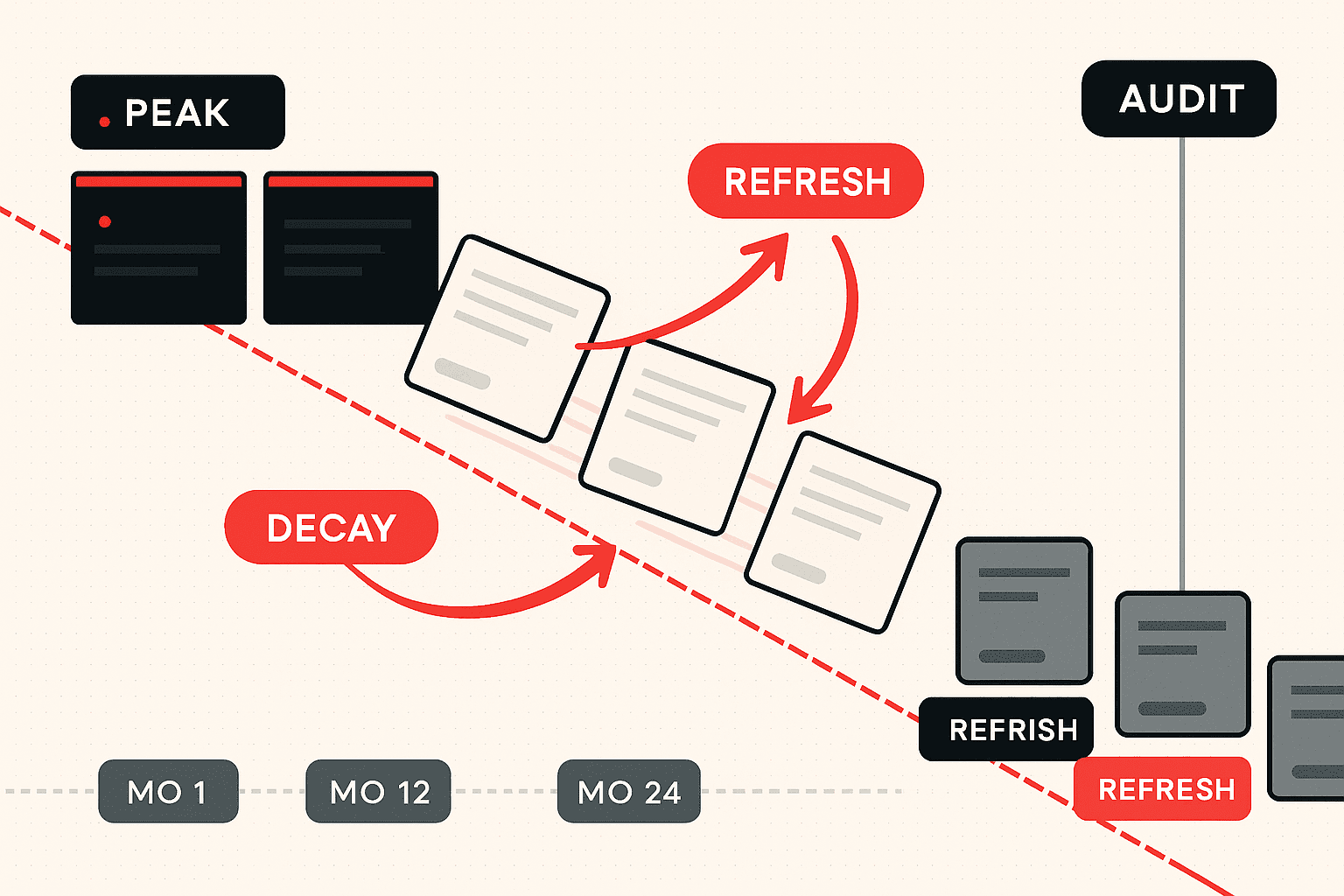
Almost every blog post on a healthy site follows the same shape over time. There is an early climb of 30 to 90 days as Google evaluates the page against the live SERP. There is a plateau of 6 to 18 months where the page settles at its ranking position and earns its share of clicks. Then there is a decline phase that lasts another 18 to 36 months, where the page loses traffic for one of several predictable reasons.
The decline phase is the inventory the audit operates on. Three things make it easy to overlook. First, the decline is usually slow enough that any single quarterly review fails to flag it. Second, the decline rarely shows up in the dashboards the team looks at most, because aggregate site traffic can stay flat or even rise while individual pages decay. Third, the decline is psychologically uncomfortable: the team would rather start a new piece than reopen an old one.
The result is a slow accumulation of pages on the wrong side of their lifecycle. On most mid-size sites, 25 to 45 percent of historical top-traffic posts are in some phase of decay at any given time. That is a meaningful portion of the site's organic potential sitting idle.
The Four Patterns of Content Decay
Across the audits we have run, every decaying page falls into one of four observable patterns. Identifying the pattern early decides which refresh tactic will work.
Pattern 1: Gradual bleed. The page is losing 5 to 15 percent of its clicks per quarter, in a smooth and unspectacular decline that is easy to ignore on a 90-day chart. Gradual bleed is the most common pattern, and it accounts for the largest share of total decayed traffic across most sites. The root cause is almost always topical: the SERP is slowly weighting newer, deeper, or more recent answers above the page, and the page has not been updated in 18 to 36 months. The fix is a structured refresh that re-establishes the page as a current, competitive answer.
Pattern 2: Cliff drop. The page lost 40 to 80 percent of its clicks inside 30 days, on or around a single identifiable event. The event is usually a Google algorithm update, a sudden AI Overview deployment on the page's primary query, or a high-authority competitor publishing a piece that directly outranks the page. Cliff drops are easier to diagnose because the date narrows the suspect list dramatically. The fix depends on the event: an algorithm update usually requires depth and quality work; an AI Overview deployment requires the page to be restructured for citation extraction; a competitor publication requires a deliberate out-coverage strategy.
Pattern 3: Plateau collapse. The page sat on a long flat plateau for 12 to 24 months and then declined sharply over 60 to 90 days. Plateau collapses are usually caused by accumulated internal-link decay (links from other pages on the site have been removed, redirected, or had their context changed), backlink loss (referring domains have removed the link or the linking pages have been deleted), or a slow buildup of competitor authority that finally crossed the threshold needed to displace the page. The fix is usually a combination of internal link injection and a content depth fill, in that order.
Pattern 4: Seasonal flat (the false positive). The page looks decayed on a 90-day chart because the current 90 days happen to fall in the page's low season, but a 12-month or 24-month chart shows a normal seasonal pattern. Many decay audits flag these pages incorrectly, which wastes editorial time. The diagnostic rule is simple: any decay flag should be confirmed against a 12-month chart and a 24-month chart before the page enters the refresh queue. Seasonal pages do not need refreshing; they need patience.
The first job of the audit is to sort the candidate population into these four patterns. The next is to diagnose root cause.
The Seven Root Causes of Content Decay
Almost every decaying page maps to one or more of seven root causes. The diagnostic is faster and the refresh is sharper when the team disciplines itself to identify the actual cause before reaching for a tool.
1. SERP shift. Google now ranks a different content type for the query than it did when the page was originally written. A how-to guide is being outranked by a comparison page; a definition essay is being outranked by a checklist; a single-product page is being outranked by a "best of" round-up. The SERP changes happen slowly across most queries but can flip suddenly when Google ships a relevance-related core update. The fix is rarely "make the page longer." The fix is to either reformat the page to match the dominant SERP type or to publish a sister page in the right format and consolidate. We covered the intent-shift principle in detail in Intent-First SEO and the comparison-page archetype in Comparison Page SEO.
2. Competitor publication. A newer, stronger article has been published on the query, with deeper coverage, fresher data, stronger formatting, or better backlinks. The competitor has not done anything special; they have simply published a more current answer at a moment when the SERP was already drifting away from your older asset. The fix is targeted: identify the specific dimensions on which the competitor outranks you and out-cover them on those dimensions, rather than rewriting the page from scratch.
3. Internal link decay. The page was once linked from 8 to 15 other pages on your site, and many of those links no longer exist. Pages have been deleted, redirected to other URLs, or had the link removed during a routine refresh. Internal link equity is one of the cheapest ranking levers on a site, and the inverse mechanism is one of the slowest, quietest causes of decay. Internal link decay is responsible for 15 to 25 percent of the decay we audit, and almost never appears on the first hypothesis list. The fix is to identify five to ten relevant pages already ranking and add contextual links from those pages to the decaying page. The mechanism overlaps with the Orphan Page Audit, where the page has zero internal links at all.
4. Stale data and visible age signals. The page covers a topic where users expect current information. The publication date is from two years ago, the screenshots show an interface that no longer exists, the cited statistics are from a previous year, and any "this year" or "in 2024" references are obviously outdated. Google decays the visible position of stale content on freshness-sensitive queries even when the underlying argument is still correct. Users also click less aggressively on a stale-looking SERP result, which compounds the position decay. The fix is the cleanest in the whole framework: update the date, the screenshots, the statistics, and the language; resubmit for indexing; observe the recovery.
5. AI Overview cannibalization. Google has added an AI Overview block to the SERP for the page's primary query. The AI Overview answers the question above the blue links, the page's CTR drops 15 to 40 percent even at the same ranking position, and the impressions hold steady while the clicks fall. AI Overview cannibalization has become one of the fastest-growing decay causes since late 2024. The fix is not to abandon the page but to restructure it for AI citation: an explicit one-sentence answer near the top of the article, structured data, scannable subheadings, and a question-and-answer block that mirrors the AI Overview's preferred extraction pattern. The mechanism overlaps with what we documented in The AI Search Gap.
6. Internal cannibalization that crept in. A newer article on your own site is now targeting the same intent as the older decaying page, and Google has begun ranking the newer page while the older one decays in parallel. Internal cannibalization is the highest-leverage decay cause when present, because the consolidation often produces a single ranking page that immediately recovers its full historical traffic. The full diagnostic lives in Keyword Cannibalization Audit. The decay audit always runs the cannibalization check before any other diagnostic, because refreshing one of two competing pages is wasted work.
7. Technical or template regression. The page was caught in a site-wide change that affected its technical signal: a template refactor that removed the original schema markup, a URL change that lost backlink equity, a canonical update that pointed the wrong direction, a page-speed regression after a redesign, or a noindex tag that was applied accidentally during a deploy. Technical regressions are rarer than other causes, but they are usually responsible for the most dramatic single drops when they occur. The fix is a technical audit of the page in isolation, comparing the current state to an archive copy from the page's peak traffic period. The full traffic-drop diagnostic for sharp drops lives in our Search Console Traffic Drop Decision Tree.
Across the audits, the order of frequency is roughly: SERP shift first, then competitor publication, then internal link decay, then stale data, then AI Overview cannibalization, then internal cannibalization, then technical regression. The diagnostic order is different from the frequency order: technical regression is checked first because it is the cheapest to rule out, then internal cannibalization, then the remaining five causes in any order that fits the analyst's workflow.
The Audit Framework, Step by Step
The audit produces a written list of decaying pages, each tagged with one of the four patterns, one or two root causes, and a recommended refresh tactic. On a mid-size site with 80 to 400 indexed pages, the full audit takes one to two analyst days.
Step 1: Pull the Search Console comparison data
Open Google Search Console, set the date range to the last 16 months, and switch to the Performance report. Use the comparison feature: last 90 days vs. previous 90 days, then last 12 months vs. previous 12 months. Group by page, sort by click delta ascending. Export both views.
The 90-day comparison surfaces recent decay, including cliff drops and competitor publications. The 12-month comparison surfaces gradual bleed and plateau collapse. Both are needed. A page that looks fine on the 90-day chart can be dramatically down year over year, and vice versa.
A note on the GSC data limits introduced in late 2025: the impression and click counts are now sampled at higher volumes than before. The cap does not change the relative comparison inside the decay audit; a page that is down 50 percent year over year is still down 50 percent regardless of the cap. We covered the implications in detail in No More Num100.
Step 2: Filter the candidate pool
The exported lists are usually 200 to 800 pages on a mid-size site. Most of them are not worth working on. The filters that matter:
- Drop pages with fewer than 100 monthly clicks at peak: the data is too noisy to act on, and the recovery upside is too small.
- Drop pages with less than 6 months of history: too recent to assess for decay.
- Drop pages where the click delta is negative but the impressions are flat: this is usually a CTR-only issue, which goes on the title-rewrite track rather than the refresh track.
- Confirm against a 12-month and 24-month chart: any page flagged on a 90-day chart should be re-checked against the longer windows to filter out seasonal pages.
- Tag the remaining pages with the four-pattern classification: gradual bleed, cliff drop, plateau collapse, or seasonal flat (which gets deleted from the pool at this stage).
- Tag each page with peak click month, current click run-rate, peak-to-current loss percentage, and a one-line query summary from the page's top-performing keyword.
On most engagements, 75 to 90 percent of the original export gets filtered out at this stage, which is correct. The leverage in the audit is in choosing what not to work on.
Step 3: Score each decaying page for recovery value
Recovery value decides priority. The simple formula:
Recovery value = Peak monthly clicks
               × Estimated recovery percentage (50% to 100% depending on root cause)
               × Average revenue per converted visitor on this page type
               × Existing page conversion rate
The estimated recovery percentage varies by root cause. Stale-data refreshes routinely recover 80 to 110 percent of peak (the page can sometimes overshoot its previous peak with fresh signals). SERP-shift reformats recover 40 to 80 percent. Competitor-out-coverage refreshes recover 50 to 85 percent. AI Overview restructures recover 30 to 60 percent of the lost clicks (because the AI Overview has permanently compressed the SERP). Technical regressions, when fixed, often recover 90 to 110 percent within 30 days.
The output ranks the audit population by expected revenue uplift, not by traffic uplift. A decaying page on a high-converting service-adjacent topic with 500 monthly clicks at peak can outweigh a decaying page on a high-volume informational topic with 4,000 monthly clicks at peak.
Step 4: Diagnose root cause for the top 20 to 30
For the top 20 to 30 pages by recovery value, run the seven-cause diagnostic in order:
- Technical regression check. Compare the current page to an archive copy from the peak traffic period. Look for changes in schema, canonical, robots directives, page speed, internal navigation placement, and template structure. If a regression is found, the fix is the simplest in the framework: restore the lost element.
- Internal cannibalization check. Search your own site for the page's primary query in quotes. If two or more pages return, branch to the cannibalization track and use the consolidation playbook from the Keyword Cannibalization Audit.
- AI Overview check. Run the primary query in an incognito window and screenshot the SERP. If an AI Overview is present and the page is not cited inside it, branch to the AI citation restructure track.
- SERP shift check. Compare the page's content type to the top 10 results' content types. If the dominant format has shifted (how-to to comparison, definition to list, single product to round-up), branch to the reformat track.
- Competitor publication check. Identify which competitor articles now rank above the page and check their publication or update dates. If a strong newer article has appeared since the page's peak, branch to the out-coverage track.
- Stale data check. Open the page and look at the date, the screenshots, the cited statistics, and the language. If any of them are visibly more than 18 months old on a freshness-sensitive topic, branch to the structured refresh track.
- Internal link decay check. Use a crawl tool to count the contextual internal links currently pointing to the page, and compare against an older crawl (if available) or the page's current internal link count against a peer page that still ranks. If the link count is materially lower than peers, branch to the internal link injection track.
Most decaying pages will trigger two or three diagnostic branches. The refresh plan addresses the highest-leverage one first, ships, and re-measures before deciding whether to run the next branch.
The Refresh Playbook: What to Actually Change
Each root cause maps to a specific intervention. The interventions are deliberately narrow and small in scope. The goal is to make a measurable change to a single page in a single sprint, not to overhaul the article every time.
Intervention 1: Restore the lost technical element (technical regression)
Compare the page to an archive copy from its peak traffic period using the Wayback Machine, Google's cache (where available), or your own version control history if the page is in your CMS. Identify the lost element: a removed schema block, a changed canonical, an inadvertent noindex, a removed internal navigation entry, a page-speed regression after a template refactor. Restore it and resubmit the URL for indexing in Search Console. Recovery is usually within 14 to 30 days, and the recovered traffic often matches or exceeds the pre-regression baseline.
Intervention 2: Consolidate and redirect (internal cannibalization)
When a newer article on your own site is competing with the decaying page, pick the canonical using a clear rule (most inbound links, highest historical traffic, best conversion rate, most current data), redirect the other page to it with a 301, merge any unique content from the redirected page into the canonical, and update internal links across the site to point at the canonical. Most cannibalization-driven decays recover 80 to 130 percent of pre-decay traffic within 30 to 60 days after consolidation.
Intervention 3: Structured refresh (stale data)
Update the publication date and the dateModified in the JSON-LD. Replace every screenshot more than 18 months old, every cited statistic, every reference to "this year" or "last year" that is now incorrect. Replace dead outbound links. Add one or two new sub-sections covering developments since the original publication. Submit the URL for re-indexing. The structured refresh is the cleanest win in the entire framework: a 2 to 4 hour intervention that often recovers 80 to 110 percent of peak traffic within 30 to 60 days.
Intervention 4: Internal link injection (internal link decay)
Identify five to ten relevant pages already ranking and earning traffic on your site, and add one contextual link from each, pointing at the decaying page, with descriptive anchor text that contains the target query or a close semantic variant. Add the links inside body content, not in footers or sidebars. Spread the additions across two to four weeks. A single link from a page already on position 2 is worth more than five links from pages buried deep in the site. The mechanism is partly link equity and partly topical clustering: Google reads the cluster of internal links as a signal that the decaying page is part of a coherent topical territory.
Intervention 5: Reformat or sister-page (SERP shift)
If the SERP is dominated by comparison pages and you have a how-to, you cannot recover the page by adding internal links to it. The page is the wrong asset for the live SERP. The fix is either a structural reformat that converts the existing page into the SERP-dominant format, or a new sister page that targets the query correctly while the original page is repointed at a related-but-different keyword. The reformat is the higher-leverage move when the page has strong backlinks and historical authority; the sister-page move is the higher-leverage move when the original page has independent value for a different query intent.
Intervention 6: Targeted out-coverage (competitor publication)
When a single newer competitor article is the cause of the decay, do not rewrite your page from scratch. Identify the specific sub-topics on which the competitor outranks you (the H2s they cover that you do not, the specific data points they reference, the visual assets they include) and out-cover them deliberately. Add the missing sub-topics. Add a stronger data point. Replace a generic visual with a more useful one. Most out-coverage refreshes recover 50 to 85 percent of pre-decay traffic within 45 to 90 days, especially on queries where Google rewards completeness over recency.
Intervention 7: Restructure for AI citation (AI Overview cannibalization)
For pages where AI Overviews have permanently compressed the SERP CTR, the goal shifts from defending the blue-link click to becoming a cited source inside the AI Overview itself. The restructure: add an explicit one-sentence answer to the primary query near the top of the article (often in a callout block), add or strengthen FAQ schema, add scannable H2 and H3 subheadings that mirror the question phrasing, and add a single quotable statistic or example that AI systems can extract verbatim. The recovery percentage is lower than other interventions because the AI Overview has structurally reduced the click pool, but a page cited inside the AI Overview earns brand visibility that does not appear in traditional click metrics.
Prioritization: Which Pages to Refresh First
The audit population is usually 30 to 100 decaying pages on a mid-size site. The team has bandwidth for maybe 10 to 20 refreshes per quarter. Picking the right 10 to 20 is the highest-leverage decision in the entire program.
The simple matrix we use:
| Low effort | Medium effort | High effort | |
|---|---|---|---|
| High recovery | Technical regression fix, internal link injection, structured refresh | Targeted out-coverage, AI citation restructure | Reformat, cannibalization consolidation |
| Medium recovery | DateModified bump, schema enrichment | Single sub-topic injection | Net-new sister page |
| Low recovery | Skip | Skip | Skip (or move to retire) |
The first quarter should run 6 to 10 high-recovery low-effort interventions (technical fixes, internal links, structured refreshes), 3 to 5 high-recovery medium-effort interventions (out-coverage, AI citation), and 1 to 2 high-recovery high-effort interventions (reformat, cannibalization consolidation). The split front-loads the wins, generates the measurement data the team needs to refine the audit, and creates the political budget for the harder interventions in quarter two.
The 90-Day Refresh Timeline
The cadence we run on most engagements:
Week 1: Audit. Pull the GSC data, filter for opportunity, classify into the four patterns, score for recovery value, diagnose root cause for the top 30 pages. Output is a prioritized list and a one-line refresh plan per page.
Weeks 2 to 4: First wave of low-effort interventions. Technical regression fixes, structured refreshes, and internal link injections on 10 to 15 pages. Document the pre-refresh trailing 30-day click count so the after-measurement is unambiguous.
Weeks 5 to 8: Second wave of medium-effort interventions. Targeted out-coverage on 5 to 8 pages, AI citation restructures where AI Overviews dominate. The team is now learning which root causes appear most often on this site, and the diagnostic gets faster.
Weeks 9 to 12: Heavy lifts and first measurement. One or two reformats, one or two cannibalization consolidations, and the first measurement window for the wave-one pages. By the end of week 12, the wave-one refreshes have had 8 to 10 weeks to mature, which is enough to call the result on most root causes.
Quarterly review. Pages that recovered to 80 to 100 percent of peak graduate. Pages that recovered partially get a second intervention. Pages that did not recover get re-diagnosed, often with a different root cause assigned. Pages that have failed two interventions enter the refresh-or-retire decision.
KPIs That Matter for a Content Decay Program
The audit is a closed-loop activity, which means the measurement is unusually clean.
- Click recovery percentage per refreshed page. Measured 30 days, 60 days, and 90 days after the refresh, against the page's trailing 30-day baseline before the refresh. Target: average recovery of 70 to 90 percent on the wave-one pages, 50 to 75 percent on the wave-two pages.
- Total clicks recovered from the program. Aggregate across all refreshed pages. The number that funds the next quarter.
- Cost per click recovered. Analyst hours times hourly rate divided by total clicks recovered. On engagements we have run, this number tends to land between $0.20 and $1.50 per click recovered, which is dramatically cheaper than acquiring the same traffic through paid media.
- Refresh-to-retire ratio. The proportion of audited pages that are recoverable versus those that go to retire. A healthy ratio is 70 to 85 percent refresh, 15 to 30 percent retire. A site with a recovery rate below 60 percent is usually carrying more dead content than active content and needs a deeper editorial review.
- Time to first recovery signal. Days between refresh ship and the first detectable click uplift. Stale-data refreshes signal within 14 to 30 days; SERP-shift reformats can take 60 to 120 days. The metric matters because it tells the team how patient to be on each intervention type.
Five Common Mistakes to Avoid
Refreshing pages without diagnosis. Most decay programs we audit start with a "refresh the oldest posts first" rule, which is almost the worst possible prioritization. Age alone is not a decay signal. A 4-year-old post that still ranks at position 4 with stable clicks does not need a refresh; a 14-month-old post that is down 60 percent year over year does. Diagnose first, then refresh.
Treating all refreshes as equivalent. Updating the date on a stale page is a 20-minute intervention. Reformatting a how-to into a comparison page is a 2-day intervention. Mixing them into a single editorial sprint without effort tagging destroys the prioritization.
Skipping the post-refresh measurement window. Without a 30-day, 60-day, and 90-day measurement, the team cannot tell which interventions work on this site versus which ones look good in a slide deck. The audit is a learning system, and the measurement window is what makes the learning compound.
Rewriting the entire article when the cause is internal link decay. A 4-hour rewrite often produces no recovery if the page is starving for internal links. Adding 8 contextual links from the right source pages can recover the page without changing a single word of the original article. Pick the intervention that maps to the diagnosed cause.
Refreshing pages that should be retired. Some decaying pages are decaying because the topic is no longer commercially relevant or the query intent has drifted away from the brand's offer. Refreshing them is a tax on the team. The rule is to retire honestly: 301 the URL to a stronger page on the same topical territory, or noindex and remove from internal navigation. Retiring 15 to 25 percent of the audit population is normal and healthy. We covered the broader rule-of-three outcome model (rank, kill, merge) in the Second-Page SEO Audit.
The Refresh-or-Retire Decision
After a full audit cycle and one or two refresh attempts, every decaying page lands in one of three outcomes.
Refresh. The diagnostic was correct, the intervention worked, and the page is recovering toward its peak. Move it to the maintenance queue, schedule an annual re-check, and update the dateModified honestly each time the page is touched.
Rewrite. The page targets a valid query but the article itself is the wrong format, the depth gap is too large to close with a partial update, or the writing voice is so outdated that surgical changes will not move it. A rewrite is a higher-cost intervention and should be reserved for pages with strong inbound link equity that are worth preserving. The rewrite uses the original URL, preserves the existing internal link graph, and ships a substantially different article on the same URL.
Retire. The topic is no longer commercially relevant, the query intent has shifted away from the brand's offer, the page is consistently outranked by a stronger asset on the same site, or the article was a tactical piece that has run its course. Retire the page by 301 redirecting it to the most topically relevant page on the site or by noindexing and removing it from internal navigation. The site gets cleaner, the topical signal sharpens, and the remaining pages often gain a small lift from the consolidation.
The discipline is to refuse the fourth outcome, which is "leave it and look at it again next year." That outcome compounds across the site as a slow-growing portfolio of pages that drag down the topical signal without contributing to traffic.
Where the Content Decay Audit Fits in a Larger SEO Program
The content decay audit is one of four diagnostic programs we run on any retainer. The other three are:
- The Second-Page SEO Audit, which works on pages stuck at positions 11 to 20 that have never broken onto page 1.
- The Orphan Page Audit, which finds pages that have lost all internal link support and stopped earning any traffic at all.
- The Keyword Cannibalization Audit, which finds the internal-competition problems silently capping multiple pages.
A fourth diagnostic, run when the site has just experienced a sharp aggregate drop rather than page-level decay, is the Search Console Traffic Drop Decision Tree. The four diagnostics share a discipline: they make the team operate from a written diagnosis rather than from the most emotionally satisfying hypothesis.
Sitting above all four is the annual full-library content audit, which classifies every URL rather than a shortlist. We published ours with the numbers attached in SEO Content Audit: 73% Dead Weight, Almost None Invisible, including the finding that most pages which look like dead weight on clicks are still attracting measurable search demand.
For sites that want a faster start, our SEO Audit Services bundle the four diagnostics into a single 14-day engagement, with a written deliverable per page in the audit population. For sites that want the full ranking-and-AEO program, the decay audit feeds directly into the SEO Services retainer, where the refresh schedule is woven into the same quarter as topical-authority work (covered in Topical Authority 2026) and CTR-rewrite work (covered in The SERP Bidding War Trick).
For content programs specifically, the decay audit is one of the highest-leverage activities a content team can run, because it converts an asset the brand already owns into recovered traffic without commissioning a single new article. Our Content Marketing Services bake the decay audit into the editorial calendar from day one, so the team is never on a treadmill where the new posts cancel out the decay on the old ones.
The Real Cost of Letting Content Decay
If you take only one principle from this piece, take this. The cheapest, fastest, most predictable source of new organic traffic on most sites is not a new article. It is the refresh of an article you already have.
The new article needs Google to index it, evaluate it, build internal links to it from the site, build backlinks to it from outside the site, accumulate user-engagement signals on it, and slowly find its position in the SERP. The realistic timeline from launch to peak traffic for a new piece on a mid-authority site is 4 to 9 months.
The refresh skips most of that. The page is already indexed. The page already has internal links and (usually) some backlinks. The page already has engagement history. The refresh is a small, targeted edit that often produces a measurable recovery within 30 to 60 days.
The brands that compound their organic traffic over 5 and 7 year horizons are the brands that treat content as an asset rather than a launch budget. They run the decay audit on a strict quarterly cadence, ship the small refreshes early, retire honestly when the topic has run its course, and refuse to leave any decaying page in indefinite limbo. The publishing treadmill is real, and the audit is how you step off it.
The pages on your site that are quietly bleeding traffic right now are the inventory that pays for the next quarter. The decay audit is how you turn the inventory into clicks.

Aditya Kathotia
Founder & CEO
CEO of Nico Digital and founder of Digital Polo, Aditya Kathotia is a trailblazer in digital marketing. He's powered 500+ brands through transformative strategies, enabling clients worldwide to grow revenue exponentially. Aditya's work has been featured on Entrepreneur, Economic Times, Hubspot, Business.com, Clutch, and more. Join Aditya Kathotia's orbit on LinkedIn to gain exclusive access to his treasure trove of niche-specific marketing secrets and insights.