

The platform you build on is not a technical decision. It is a revenue architecture decision, and most teams get it wrong by optimizing for the wrong variable at the wrong stage.
When companies choose a custom-coded site over a mature CMS, they typically frame the choice around control and performance. Both are legitimate concerns. But the real question is what you are trading away in time-to-publish, iteration speed, and organic search compounding, and whether that trade is actually worth what you paid for it. For most small to mid-sized businesses, WordPress website development delivers a better long-term return precisely because the editorial and maintenance overhead stays manageable as the site scales.
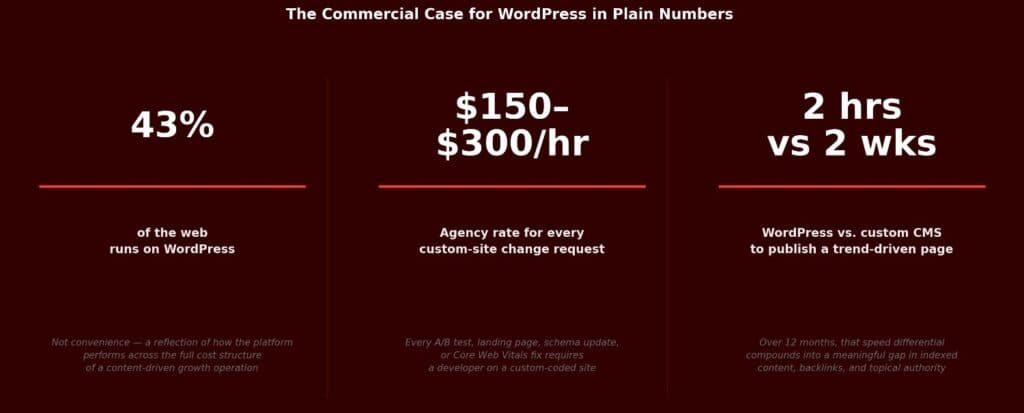
WordPress powers roughly 43% of the web. That is not a coincidence of convenience. It is a reflection of how the platform performs across the full cost structure of running a content-driven growth operation.
This article breaks down where WordPress wins, where it does not, and how to think about the decision in commercial terms rather than technical ones.

WordPress.com vs WordPress.org: The Distinction That Matters
Before evaluating WordPress against a custom site, there is a critical distinction most guides skip: WordPress.com and WordPress.org are different products.
WordPress.org is the self-hosted, open-source version of WordPress. You download the software for free and install it on your own web hosting. You have full control over plugins, themes, and custom code. This is the version that powers 43% of the web and is what this guide addresses.
WordPress.com is a hosted platform managed by Automattic (the company founded by WordPress's creator). Lower pricing tiers significantly restrict plugin installation, custom themes, and monetization options. The free and Starter plans are not appropriate for business websites that need SEO optimization, custom functionality, or ecommerce.
For any business building a site for SEO or commerce: use WordPress.org, not WordPress.com. The confusion between these two products leads brands to underinvest or choose the wrong tier, then conclude "WordPress doesn't work for us" - when they were using the wrong product entirely.
What WordPress Costs to Build in India
Understanding the cost range for Indian businesses makes the WordPress vs. custom comparison concrete rather than abstract.
| Site Type | Scope | Estimated Cost (INR) |
|---|---|---|
| Basic business site | 5-10 pages, standard theme, core plugins | ₹20,000-₹80,000 |
| Mid-complexity site | Custom theme, SEO setup, forms, analytics | ₹80,000-₹2,00,000 |
| WooCommerce ecommerce | Product catalog, payment gateway, order management | ₹1,50,000-₹4,00,000 |
| Enterprise WordPress | Custom functionality, complex integrations, API connections | ₹4,00,000+ |
| Annual maintenance | Hosting, plugin updates, security, backups | ₹15,000-₹60,000/year |
Comparable custom-coded sites typically cost 2-4x more at the same complexity level and require ongoing developer involvement for every content or functional change - at ₹2,000-₹6,000 per hour for Indian developers or ₹10,000-₹25,000 per hour for agency rates.
The Hidden Cost of a Custom-Coded Site
Custom development looks cheaper than it is. The upfront build cost is visible. The ongoing cost is not.
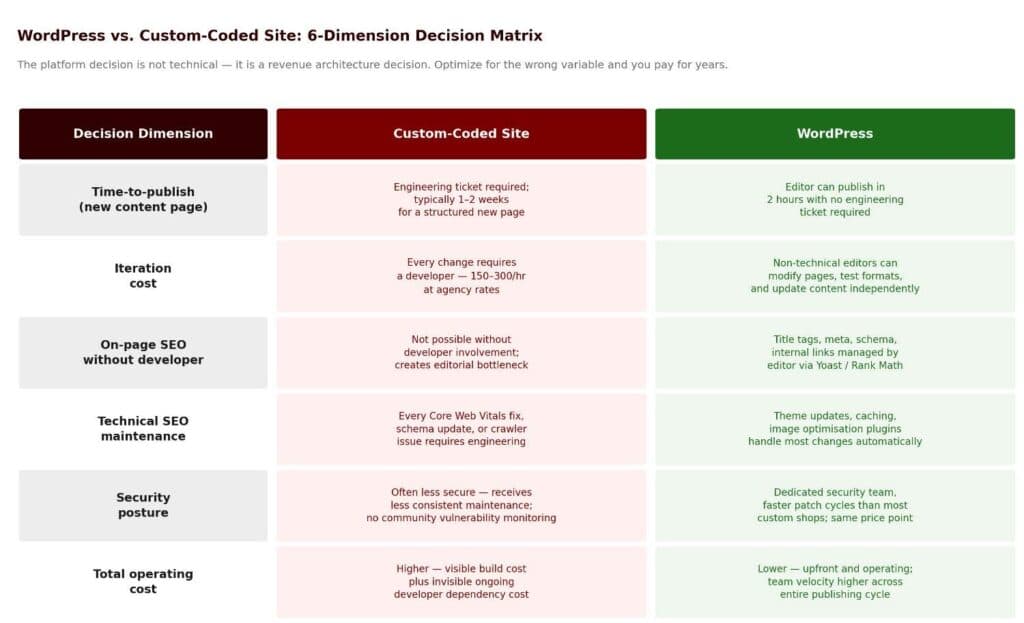
Every feature addition, every A/B test, every new landing page format, every schema markup update, every Core Web Vitals fix, every time your marketing team needs something that was not in the original spec, a developer needs to be involved.
At agency rates, that is significant. At in-house rates, it is still a prioritization conflict in the engineering queue.
The more fundamental cost is velocity. SEO compounds when you publish consistently, iterate on content, test different formats, and move fast on search trends. A custom-coded site creates friction at every step of that cycle.
The teams that outrank their competitors in organic search are rarely the ones with the most technically sophisticated infrastructure. They are the ones that publish more, iterate faster, and build topical depth more quickly.
That is where the real cost lives: Not in the build, but in the compounding opportunity cost of moving slowly.
What WordPress Actually Does for Organic Search
WordPress does not rank your content. Your content, your authority, and your technical hygiene do that. But the platform removes a significant number of structural barriers that slow sites down in search. For businesses that want to maximize this advantage, dedicated WordPress SEO services combine the platform's native strengths with the technical depth and content strategy needed to translate publishing velocity into measurable ranking gains.
Crawlability and Clean Code Output
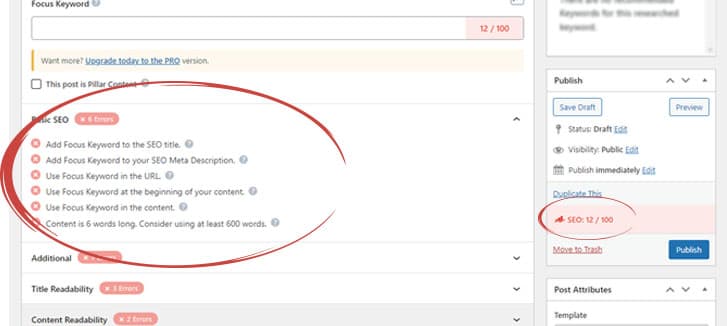
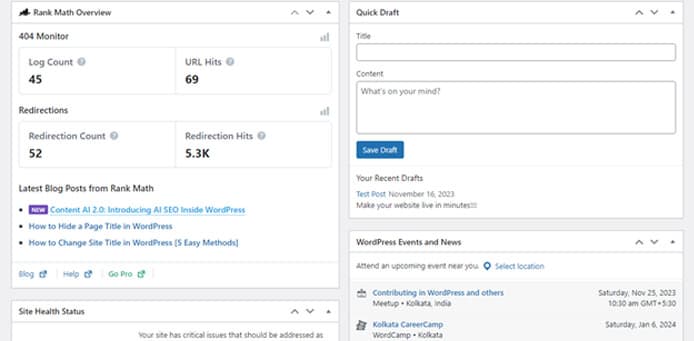
WordPress generates well-structured HTML that search engine crawlers can parse efficiently. The permalink structure is configurable, canonical tags are manageable through plugins like Yoast or Rank Math, and XML sitemaps are handled automatically.
These are baseline requirements that custom-coded sites routinely miss in their initial build, requiring expensive retrofitting later.
On-Page Optimization at Scale
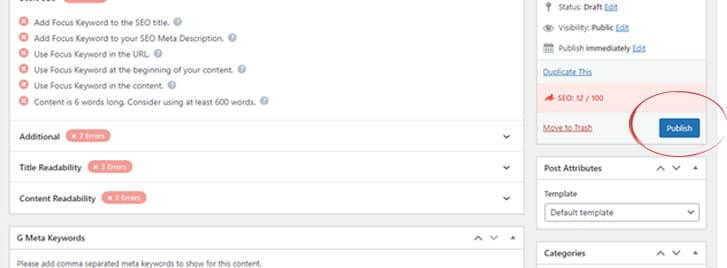
When your content team can manage title tags, meta descriptions, focus keywords, schema markup, and internal linking without developer involvement, the quality of your SEO execution increases and the cost per optimized page drops dramatically.
WordPress with a solid SEO plugin gives non-technical editors that capability directly in the CMS.
Most companies underestimate how much optimized content they are leaving unpublished because the technical debt of their custom CMS creates a bottleneck at the editorial layer.
Technical SEO Maintenance Over Time
Core Web Vitals thresholds shift. Schema markup standards evolve. Mobile rendering requirements change. On a custom-coded site, each of these requires a developer.
On WordPress, a combination of theme updates, caching plugins, image optimization plugins, and CDN configuration handles the majority of these changes without engineering involvement.
The compounding effect is real. A site that consistently maintains good technical fundamentals over 18 to 24 months will outrank a technically superior site that updates slowly.
The Plugin Ecosystem as a Growth Infrastructure Layer
The WordPress plugin ecosystem is one of those features that sounds like a convenience but functions as a genuine competitive moat when used strategically.
Consider what a mature plugin stack replaces in custom development:
- SEO tooling: Yoast SEO, Rank Math, or All in One SEO replaces weeks of custom meta management development
- Performance: WP Rocket, Nitropack, or LiteSpeed Cache handles page speed optimization that would otherwise require significant custom engineering
- Security: Wordfence, Sucuri, and iThemes Security provide enterprise-grade protection at a fraction of what a custom security implementation would cost
- Conversion optimization: Form builders, lead capture tools, CRM integrations, and A/B testing tools that connect without a custom API work
The mistake most teams make with plugins is treating them as an afterthought. The teams getting the most out of WordPress plan their plugin architecture before launch, not after. They treat the plugin stack as infrastructure, not decoration.
One practical caution: Plugin sprawl is a real performance and security risk. Every plugin you add increases your attack surface and can introduce speed regressions. The discipline is not in adding everything available but in curating only what meaningfully moves a business metric.
Content Velocity and the Compounding Organic Model
Organic search is a compounding channel. The teams that understand this build content machines, not content campaigns. WordPress was built for content operations, and that heritage shows in how quickly teams can move on it.

Source: Ahrefs
A content team operating in WordPress can draft, edit, schedule, optimize, and publish without a single engineering ticket. That might sound basic, but it represents a structural speed advantage when multiplied across a twelve-month content calendar.
Consider a scenario where your team wants to capitalize on a search trend that emerges in your category.
On a custom-coded CMS with a developer dependency, getting a well-structured page live might take two weeks. On WordPress, your editor can have it published in two hours. That is not a marginal advantage.
Over a 12-month period, those speed differentials add up to a meaningful gap in indexed content, backlink accumulation, and topical authority signaling.
Topical authority, which is how Google increasingly evaluates domain expertise, is built through depth and breadth of content coverage in a given subject area. The faster you can build that coverage, the faster you establish authority.
WordPress removes the friction from that process in a way that custom-built CMS platforms rarely manage to replicate.
Security: Where WordPress Gets Unfairly Criticized
WordPress security concerns are real, but they are frequently overstated and almost always tied to poor maintenance habits rather than inherent platform vulnerabilities.
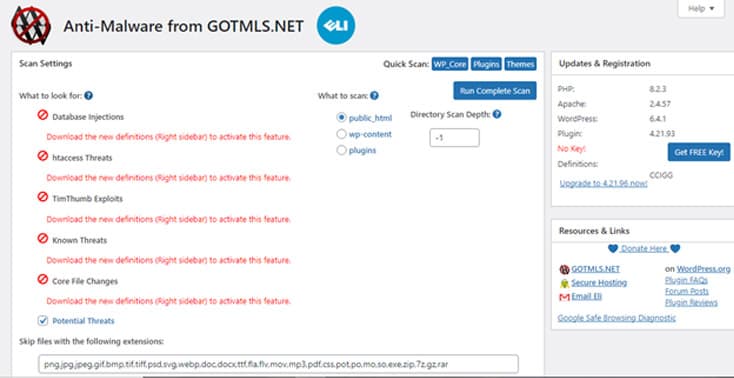
WordPress has a dedicated security team that responds to vulnerabilities faster than most custom development shops can patch their own code. The majority of WordPress sites that get compromised are running outdated plugins, outdated themes, or weak credentials. That is an operational problem, not a platform problem.
When maintained properly, which means automated updates, a disciplined plugin audit cadence, two-factor authentication, and regular offsite backups, WordPress is as secure as any custom-coded alternative at the same price point. Most enterprises running WordPress at scale combine this with a web application firewall and a managed WordPress hosting environment.
Custom-coded sites are not inherently more secure. They are often less secure because they receive less consistent maintenance and do not benefit from the same community-scale vulnerability monitoring.
Theme Architecture and What Most Teams Get Wrong
WordPress themes are where most implementations go wrong. Teams conflate having a lot of theme options with having a good design system, and the results are inconsistent branding, bloated page weight, and a front-end that fights the editor rather than supporting them.

Themes offered by WordPress
The better approach is to select a performance-focused theme framework (Kadence, GeneratePress, and Blocksy are worth evaluating) and build a limited component library on top of it. You want a theme that does less, not more, and gives your developers clean override points rather than a configuration UI that non-technical users will eventually break.
Page builders like Elementor or Divi solve a real problem for teams without front-end resources. They also introduce performance overhead and technical debt that becomes expensive to unwind at scale.
If your team has even light front-end capability, a block-based approach using the native Gutenberg editor or a lean builder will serve you better long-term.
The decision framework is this: Optimize your theme selection for the size of your technical team and your anticipated publishing volume, not for the widest possible design flexibility.
Maintenance as a Growth Function, Not a Cost Center
This is a framing problem that shows up consistently in how marketing leaders think about their CMS. Maintenance is treated as overhead. It should be treated as a performance investment.

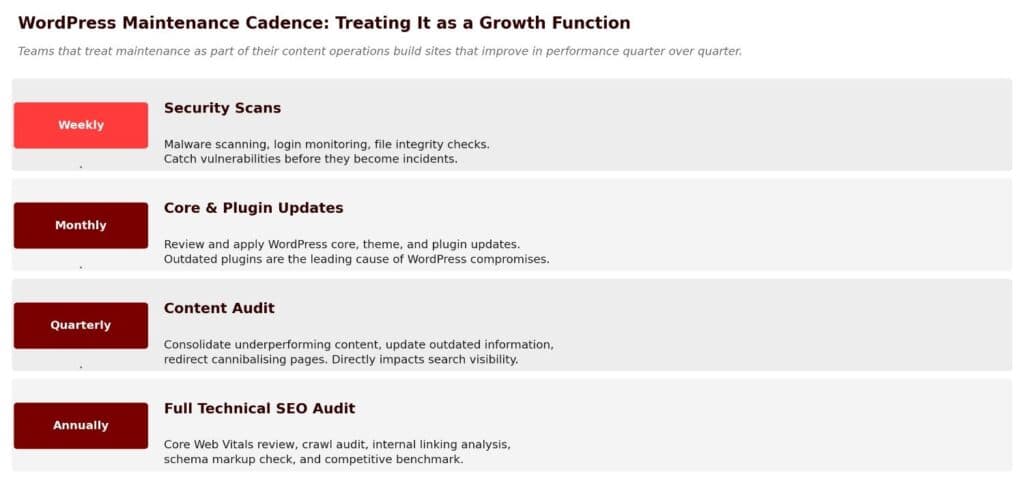
A well-maintained WordPress site compounds in organic performance.
- Core updates improve security and performance.
- Plugin updates patch vulnerabilities and add functionality.
- Regular content audits allow you to consolidate underperforming content, update outdated information, and redirect cannibalizing pages.
These activities directly impact your search visibility and your ability to hold rankings against emerging competitors.
Teams that neglect maintenance accumulate technical debt that eventually requires a costly migration or rebuild. Teams that treat maintenance as part of their content operations build sites that improve in performance quarter over quarter.
The practical cadence: Core and plugin updates reviewed monthly, security scans weekly, content audits quarterly, and a full technical SEO audit annually. WordPress makes all of this achievable with a lean operations setup. Businesses that outsource this function typically use a website maintenance India provider with WordPress expertise, ensuring that updates, backups, and performance monitoring are handled consistently without consuming internal engineering time.
When WordPress Is Not the Right Answer
There are genuine scenarios where WordPress is the wrong tool. Being clear about this is more useful than a platform advocacy position.
Very high-traffic media properties with extreme uptime requirements and complex content relationships sometimes outgrow what WordPress can efficiently handle without significant infrastructure investment. At that scale, headless architectures using WordPress as a content API and a custom front-end can preserve the editorial benefits while solving the performance ceiling.
Applications that are primarily software products with minimal content requirements are better served by frameworks built for application logic rather than content management. WordPress is a CMS with application capabilities, not the reverse.
Companies with extremely specific design system requirements and a full-time front-end team may find that the constraints of even a lean WordPress theme create unnecessary friction. In those cases, a headless build may justify the additional development complexity.
For the majority of D2C brands, B2B companies, and content-led tech firms, none of these exceptions apply. WordPress handles the use case efficiently and cost-effectively.
Frequently Asked Questions
Should Indian small businesses use WordPress.com or WordPress.org?
Indian small businesses should use WordPress.org (self-hosted) for any website where SEO, custom plugins, or ecommerce are priorities. WordPress.com's free and lower-tier plans restrict plugin installation and custom theme use, which limits SEO capability and functionality. Self-hosted WordPress requires purchasing hosting (₹3,000-₹15,000 per year for reliable managed WordPress hosting in India from providers like SiteGround, Kinsta, or Cloudways) and a domain (₹1,000-₹2,000 per year). The total first-year cost for a self-hosted WordPress setup is significantly lower than most custom development quotes.
What is the best WordPress hosting for Indian websites?
For Indian businesses, the primary considerations are: server location (Indian or Singapore edge nodes reduce latency for Indian visitors), WordPress-specific optimization (caching, one-click staging), and support quality. Strong options: Cloudways (DigitalOcean with Mumbai/Singapore servers, ₹1,500-₹4,000/month), SiteGround (managed WordPress with good performance, ₹1,500-₹3,500/month), and Kinsta (premium managed WordPress, ₹3,500-₹10,000/month for established businesses). For very early-stage businesses, Hostinger India (from ₹300-₹600/month) is acceptable but will require migration to a more robust host as traffic grows.
Can WordPress handle a high-traffic ecommerce site in India?
Yes, with the right infrastructure. WordPress with WooCommerce handles ecommerce at significant scale when paired with quality managed hosting, a CDN (Cloudflare is effective for India), object caching (Redis or Memcached), and a performance-focused theme. The ceiling is higher than most Indian SMBs will reach without significant engineering investment. Brands processing hundreds of daily orders should use Cloudways or Kinsta managed WordPress hosting with auto-scaling, rather than shared hosting. Above 10,000+ daily orders or with complex custom checkout requirements, a headless WooCommerce architecture or a move to Shopify may be worth evaluating.
The Commercial Case in Plain Terms
For D2C brands specifically, one common alternative to evaluate is Shopify. It handles ecommerce natively but requires specialist input to build meaningful organic search visibility - investing in Shopify SEO becomes a necessary ongoing cost. WordPress with WooCommerce, by contrast, gives you both the ecommerce capability and a more flexible SEO infrastructure from a single platform.
If you are evaluating WordPress against a custom build or an alternative CMS, the decision matrix should include:
- Time-to-first-publish: How quickly can your team get content live without engineering involvement?
- Iteration cost: What does it cost, in time and money, to modify a page, add a new content type, or implement a new SEO requirement?
- Total annual operating cost: Including developer time, maintenance, tooling, and opportunity cost from delayed publishing
- Organic compounding potential: Given your content strategy, which platform allows you to publish at the velocity and depth needed to build topical authority in your category?
Across those metrics, WordPress wins for most teams that are serious about organic as a revenue channel. The upfront cost is lower, the operational cost is lower, the editorial velocity is higher, and the SEO tooling is mature.
The trade-off is that you need to invest in proper configuration and maintenance, which is true of any platform.
Unsure whether WordPress is the right foundation for your growth goals? - Request a platform audit → If you are running a custom-coded site and suspect your publishing infrastructure is limiting your organic growth, we'll assess the actual cost of your current setup versus a WordPress migration and show you where the friction is costing you in organic performance.

Aditya Kathotia
Founder & CEO
CEO of Nico Digital and founder of Digital Polo, Aditya Kathotia is a trailblazer in digital marketing. He's powered 500+ brands through transformative strategies, enabling clients worldwide to grow revenue exponentially. Aditya's work has been featured on Entrepreneur, Economic Times, Hubspot, Business.com, Clutch, and more. Join Aditya Kathotia's orbit on LinkedIn to gain exclusive access to his treasure trove of niche-specific marketing secrets and insights.